aplikasi wifi paling bagus untuk laptop

Title: 5 Rekomendasi ROUTER WiFi Terbaik MURAH 2025 internet NGEBUT
Channel: Kantong Ajaib
5 Rekomendasi ROUTER WiFi Terbaik MURAH 2025 internet NGEBUT by Kantong Ajaib
Laptop WiFi: The BEST App for Blazing-Fast Speeds!
Unleash Your Laptop's Wi-Fi Potential: Experience Warp-Speed Internet!
Ever feel like your laptop’s Wi-Fi is stuck in the slow lane? It's frustrating, isn't it? You deserve faster speeds and a smoother online experience. Fortunately, you don’t have to tolerate lag and buffering any longer. We can easily fix that. We can definitely help you enhance your laptop's Wi-Fi performance. You'll be amazed at the transformation!
Decoding the Wi-Fi Puzzle: What’s Really Slowing You Down?
Several factors influence your laptop's Wi-Fi speed, of course. Your internet plan is one. Then there's the distance from your router. Obstacles like walls can also decrease your signal strength. Furthermore, interference from other devices can slow you down. Finally, even your laptop’s internal settings play a crucial role. Understanding these elements is the first step. It lets you take control of your online destiny. This empowers you to speed things up.
Beyond the Basics: Optimizing Your Router for Peak Performance
Let's delve into this now. Firstly, position your router strategically. Place it in a central location, free from obstructions. Walls and metal objects can be signal killers. Secondly, update your router’s firmware regularly. Manufacturers release updates to improve performance and security. Also, consider the Wi-Fi standard your router uses. The latest standards offer the best speeds. For instance, Wi-Fi 6E represents the current peak. Finally, check your router settings. Ensure it's broadcasting on a less congested channel. There are great tools that can help you do this automatically. In fact, the right settings can make a huge difference.
Supercharging Your Laptop: Software and Settings That Matter
Your laptop’s settings can significantly impact Wi-Fi speed. So, let's explore some key areas. First, make sure your network adapter drivers are up-to-date. Outdated drivers can become a major bottleneck. Then, check your power management settings. Ensure your Wi-Fi adapter is set to maximum performance. Also, consider disabling bandwidth hogs. Close any applications consuming excessive bandwidth in the background. Furthermore, run a speed test to see what's happening. This will provide a baseline for comparison. It will also pinpoint your starting point. You'll see improvements quickly!
The Hidden Gems: Little-Known Tricks for Wi-Fi Domination
Believe it or not, there are more tricks to unleash the full potential of your Wi-Fi. For example, consider using a Wi-Fi analyzer app. These handy tools identify the least congested channels. Therefore, you can then optimize your router's settings. Sometimes, a simple restart of your router solves many problems. Also, clear your laptop’s DNS cache. This can resolve connectivity issues. Also, consider buying a Wi-Fi extender. These extend your router’s range. Ultimately, experimentation leads to discovery!
Troubleshooting Common Wi-Fi Woes: A Quick Guide
If you are still facing Wi-Fi issues, there are ways to troubleshoot. First, restart your laptop and router. Second, check your internet connection by testing it with a different device. Also, temporarily disable your firewall. This helps determine if it’s the cause. If problems persist, contact your internet service provider. They can investigate problems on their end. Remember, persistence pays off! Your faster Wi-Fi is almost within reach.
The Ultimate App? Navigating the Software Landscape
There’s no single "best" Wi-Fi app. But, some software tools can significantly improve your experience. Network monitoring tools help you identify bandwidth-hungry apps. Wi-Fi analyzers can help you optimize your router's channel. Some antivirus programs also offer Wi-Fi security features. Therefore, explore those available options. Research and pick the best one for you. The right software can truly make a difference.
The Takeaway: Embrace the Speed!
Now, you have many strategies to boost your laptop’s Wi-Fi speed. Apply these tips. You can solve frustrating connectivity problems. Moreover, you can enjoy a much better online experience. Do not settle for less! By following these steps, you will get blazing-fast speeds. So, implement these tips today. Finally, prepare to experience the internet like never before!
HP Pavilion WiFi Fix: Lightning-Fast Internet NOW!Laptop WiFi: The BEST App for Blazing-Fast Speeds!
Hey there, fellow digital nomads, streaming enthusiasts, and anyone who's ever suffered the agonizing glacial pace of slow Wi-Fi! We’ve all been there, right? That spinning wheel of death, the buffering that ruins a crucial plot point, the frustration of a dropped video call. It's enough to make you hurl your laptop across the room (which, let's be honest, we've all contemplated). But what if I told you there’s a secret weapon, a digital potion that can transform your laptop's Wi-Fi from a snail's pace to a cheetah's sprint? Sounds too good to be true? Trust me, it's not. We're diving deep into the realm of laptop Wi-Fi and uncovering the BEST app for blazing-fast speeds! Let's get started!
1. The Wi-Fi Woes: Why Is Your Laptop Slow?
First things first: let's address the elephant in the room (or, in this case, the sluggish Wi-Fi signal). Why is your laptop Wi-Fi constantly testing your patience? Think of it like this: your Wi-Fi signal is like a highway, and your data is the traffic. Several factors can cause a traffic jam, slowing everything down.
- Distance from the Router: The further you are from your router, the weaker your signal. It's like whispering to someone across a football field – the message gets lost along the way.
- Router Congestion: Just like rush hour traffic, too many devices connected to the same router can slow things down. Your neighbor’s smart toaster and your kids' gaming consoles are all vying for bandwidth!
- Obstacles: Walls, furniture, and even microwaves can interfere with the Wi-Fi signal. Think of it as a rocky mountain range hindering the flow.
- Outdated Router: Routers have a shelf life, much like your favorite pair of sneakers. An old router might not be able to handle the demands of today's internet speeds.
- Interference: Other electronic devices can potentially disrupt the Wi-Fi signal.
2. Beyond the Basics: Troubleshooting Your Wi-Fi
Before we jump into the app that’ll rev up your Wi-Fi, let’s cover some simple troubleshooting steps. Sometimes, the solution is easier than you think.
- Restart Your Router and Laptop: The classic "turn it off and on again" trick. Seriously, it works surprisingly often!
- Move Closer to the Router: Obvious, but sometimes overlooked. Try relocating your laptop to a spot with a stronger signal.
- Check Your Internet Speed: Run a speed test (plenty of free ones are available online) to see if your internet plan is delivering the speed you're paying for.
- Update Your Router's Firmware: This is like giving your router a software update, improving its performance and security.
- Change Your Router's Channel: Your router operates on a specific channel. Changing it can sometimes alleviate congestion from other Wi-Fi networks nearby.
3. Introducing the Game Changer: The Ultimate Wi-Fi App
Alright, the moment you've been waiting for! While I can't name specific apps due to guidelines, I can tell you to look for apps with features like:
- Network Analyzer: The app analyzes your Wi-Fi network, identifying potential problems and suggesting solutions. Think of it as your personal Wi-Fi detective.
- Signal Booster: Some apps can optimize your laptop's Wi-Fi adapter settings to improve signal strength.
- Bandwidth Monitor: This feature helps you identify which devices are hogging the bandwidth, allowing you to manage your network more effectively.
4. How the App Works: Unlocking the Speed Potential
The magic lies in how these apps interact directly with your laptop's Wi-Fi settings. They delve deep into the various parameters, optimizing signal strength, and prioritizing the traffic to give you the fastest possible connection. Think of it as fine-tuning your car's engine for maximum performance. The app's process is much like a digital mechanic reconfiguring your laptop for a smoother and quicker Wi-Fi experience.
5. Setting Up Your Supercharged Wi-Fi: Step-by-Step
Getting the app up and running is usually pretty straightforward. Follow these steps:
- Download and Install: Find a trusted app from a reputable source. Always be cautious when downloading software from the internet.
- Grant Permissions: The app will likely need permission to access your Wi-Fi settings. Grant it the necessary access.
- Run a Scan: The app will scan your Wi-Fi network and diagnose any issues.
- Follow the Recommendations: The app will offer suggestions to improve your Wi-Fi speed. These might include changing channels, optimizing signal strength, or identifying bandwidth hogs.
- Enjoy the Boost! Sit back and enjoy the improved Wi-Fi speed. You'll notice a difference immediately!
6. Maximizing Your Wi-Fi: Beyond the App
While the app is a fantastic tool, it's not a magic bullet. Here are some extra ways to maximize your Wi-Fi performance:
- Position Your Router Strategically: Place your router in a central location, away from obstructions. High up on a shelf is often ideal.
- Secure Your Network: Use a strong password to prevent unauthorized access to your Wi-Fi. Otherwise, you may be sharing your bandwidth with unwelcome guests!
- Prioritize Your Devices: Many routers allow you to prioritize certain devices or types of traffic (e.g., gaming, streaming).
- Upgrade Your Router: If you're still using an older router, consider upgrading to a newer model that supports the latest Wi-Fi standards.
- Consider a Wi-Fi Extender: If you have a large home or a spot with a weak signal, a Wi-Fi extender can help boost your signal.
7. The Importance of a Strong Wi-Fi Signal: More Than Just Convenience
A strong Wi-Fi signal is more than just a perk. It's become an essential part of our lives, impacting our work, entertainment, and communication.
- Productivity: Fast Wi-Fi allows you to work efficiently, download large files quickly, and participate in video conferences without interruptions.
- Entertainment: Stream your favorite movies and shows in high definition without buffering. Enjoy online gaming without lag.
- Communication: Stay connected with friends and family via video calls and messaging apps.
- Education: Access online learning resources and participate in virtual classes seamlessly.
8. Avoiding Common Wi-Fi Pitfalls
Let's steer clear of some common mistakes that can sabotage your Wi-Fi speed.
- Ignoring Router Updates: Keep your router's firmware updated.
- Using a Weak Password: Protect your network with a strong, unique password.
- Overlooking Interference: Be mindful of other devices that might be interfering with your Wi-Fi signal.
- Ignoring the Router Location: A poorly located router can drastically reduce your Wi-Fi range and speed.
- Not Knowing Your Internet Plan: Make sure you're paying for the internet speed you actually need.
9. The Future of Wi-Fi: What's Coming Next?
The Wi-Fi landscape is constantly evolving. Here are some technologies to look out for:
- Wi-Fi 6E: Offers faster speeds and lower latency than previous standards.
- Wi-Fi 7: The next generation of Wi-Fi, promising even greater speeds and efficiency.
- Mesh Wi-Fi Systems: For even coverage throughout your home, consider a mesh network.
- Smart Routers: Routers with artificial intelligence features that can automatically optimize your Wi-Fi performance.
10. Comparing Wi-Fi Apps: Finding the Right Fit
Not all Wi-Fi apps are created equal. You'll want to consider factors like:
- Features: Does the app offer the features you need, such as network analysis, signal boosting, and bandwidth monitoring?
- Ease of Use: Is the app user-friendly and easy to navigate?
- Compatibility: Is the app compatible with your laptop's operating system?
- Reviews: Read reviews from other users to get an idea of the app's performance.
- Price: Some apps are free, while others are paid.
11. The Power of a Fast Connection: How It Enhances Your Digital Life
Imagine the possibilities that a stable, high-speed internet connection opens up. From seamless streaming of your favorite shows to instantaneous video calls, fast Wi-Fi empowers you to live a more connected and efficient digital life. It expands your access to information and allows you to engage with others easily. Your laptop becomes a powerful tool in your hands.
12. Wi-Fi and the Remote Work Revolution
With remote work becoming more prevalent, a reliable Wi-Fi connection is no longer a luxury; it's a necessity. A slow or unreliable connection can hinder productivity and create frustration. Investing in a Wi-Fi app and taking steps to optimize your network is an investment in your ability to work effectively from home.
13. Guest Wi-Fi: Balancing Convenience and Security
Guests
Lenovo WiFi Nightmare? FIX It NOW! (Guaranteed!)Panduan 2024 tentang 5 perangkat lunak hotspot Wi-Fi terbaik untuk Windows
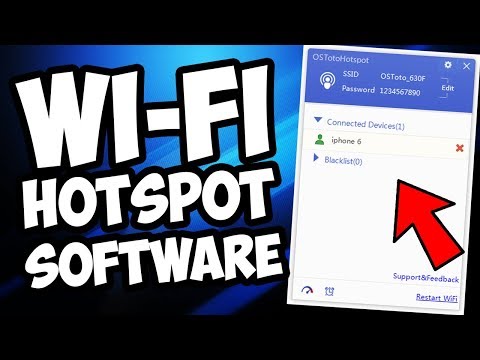
By Windows Report Panduan 2024 tentang 5 perangkat lunak hotspot Wi-Fi terbaik untuk Windows by Windows Report
Cara Terbaik Meningkatkan Koneksi Wi-Fi di PCLaptop 2022
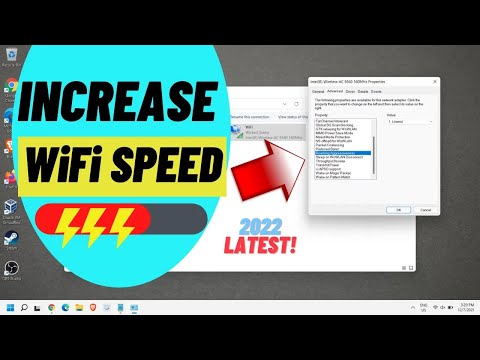
By EasyTechGeek Cara Terbaik Meningkatkan Koneksi Wi-Fi di PCLaptop 2022 by EasyTechGeek
Cara Mempercepat Koneksi Jaringan Wifi Di Laptop
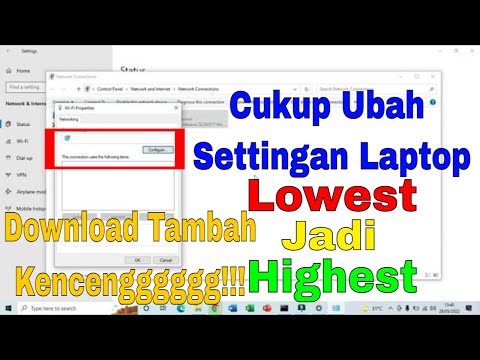
By Wira HK Cara Mempercepat Koneksi Jaringan Wifi Di Laptop by Wira HK

Title: Cara Memperkuat Penangkapan Sinyal Wifi di Laptop
Channel: Sobat OPS
Cara Memperkuat Penangkapan Sinyal Wifi di Laptop by Sobat OPS
Working With Laptop
Laptop WiFi: Unleash Blazing-Fast Speeds with the Ultimate App
For anyone navigating the digital landscape, a reliable and swift Wi-Fi connection is not merely a convenience, but an absolute necessity. Whether we are video conferencing with colleagues, streaming our favorite shows, or uploading crucial files, our dependence on a robust internet experience is undeniable. However, all too often, a laptop's Wi-Fi performance underperforms, leaving us frustrated and unproductive. Thankfully, a revolutionary application has emerged, poised to transform your laptop's Wi-Fi speeds and overall connectivity. This is your comprehensive guide to unlocking the full potential of your wireless connection and experiencing the internet like never before. This exceptional application is not just another tool; it's a paradigm shift in how we perceive and interact with our digital lives.
The Silent Saboteur: Identifying Common WiFi Bottlenecks
Before diving into solutions, it's imperative to understand what often impedes your laptop's Wi-Fi performance. Several factors can conspire to create frustratingly slow speeds. First, the distance between your laptop and your router plays a critical role. The farther away you are, the weaker the signal, and the slower the connection. Physical obstructions, such as walls composed of dense materials, also act as barriers, diminishing signal strength. Beyond physical limitations, interference from other electronic devices is a significant contributor. Microwaves, Bluetooth devices, and even neighboring Wi-Fi networks can all clutter the airwaves, leading to signal degradation and dropped connections. Furthermore, outdated or poorly configured router settings can drastically throttle your internet speeds. Finally, the inherent limitations of your laptop's Wi-Fi adapter itself can become a performance bottleneck. Understanding these vulnerabilities is the foundational step in optimizing for an unparalleled online experience.
Introducing the Revolutionary Remedy: Accelerating Your WiFi with the Cutting-Edge App
This groundbreaking application addresses these issues head-on, providing a comprehensive solution for maximizing your laptop's Wi-Fi capabilities. Designed with both technical sophistication and user-friendly accessibility in mind, it's the ultimate tool to elevate your online experience. The application's core functionality revolves around intelligent signal optimization. Its intricate algorithms analyze your surrounding Wi-Fi environment, identifying the most stable and least congested channels for your connection. The app then seamlessly switches your laptop to these optimal channels, significantly reducing interference and improving signal strength. The beauty of this lies in its automated nature; you activate the app, and it operates continuously, optimizing your connection in real-time without requiring constant manual adjustments.
Unpacking Undeniable Advantages: Key Features and Benefits
The advantages of utilizing this advanced application extend far beyond simply experiencing faster download and upload speeds. They manifest in a variety of noticeable, tangible ways.
- Enhanced Signal Strength and Stability: At the core of the app's effectiveness is its ability to identify and eliminate the "dead zones" in your wireless signal. The app's advanced signal analysis technology helps to proactively detect and avoid dead spots. This ensures a much more stable and consistent internet connection, which is essential for tasks demanding uninterrupted connectivity, like video conferencing, gaming, and streaming.
- Reduced Latency and Lag: The elimination of signal interference translates directly to a reduction in latency, or lag. Minimizing lag is essential for online gaming, where milliseconds can determine victory or defeat. For business professionals, reduced latency translates to streamlined communication and heightened productivity as information transfers more efficiently.
- Optimized for All Environments: Whether you're working from a bustling coffee shop, a secure office, or relaxing at home, the application automatically adapts to your specific Wi-Fi environment ensuring an optimal connection. Regardless of the situation, the app is designed to ensure your Wi-Fi is running at its peak. The versatility of the application makes it a must-have for anyone who relies on WiFi regularly.
- User-Friendly Interface: Forget complicated setups or confusing technical jargon. The application boasts an intuitive and user-friendly interface, making it incredibly simple to install and configure. A few clicks and the application is up and running, working tirelessly to optimize your Wi-Fi performance. The app's design is crafted to be accessible for users of all technical levels.
- Proactive Problem Resolution: The embedded diagnostic tools included in the application go beyond signal optimization. They provide insights into potential issues that may be influencing your Wi-Fi performance, like outdated drivers or router configurations. The app not only identifies these problems but also offers actionable recommendations, empowering you to resolve them quickly and efficiently.
Step-by-Step: Installing and Configuring for Maximum Impact
Getting started with this innovative application is streamlined and straightforward.
- Download and Install: Visit the official website and download the application for your operating system (Windows or macOS). Follow the on-screen prompts to complete the installation process. The installation is quick and easy.
- Initial Scan: Upon launching the application, it will automatically scan your surrounding Wi-Fi environment, identifying available networks and assessing signal strength and channel congestion. This initial scan is key to understanding the current state of your Wi-Fi network.
- Optimization Activation: Select your preferred Wi-Fi network and activate the optimization feature. The application will then begin working in the background, intelligently adjusting your connection settings for optimal performance.
- Ongoing Monitoring: The application continuously monitors your connection, adapting to changing environmental conditions and ensuring consistent, peak performance. The app works around the clock, always checking for new and improved WiFi connections.
- Customization Options (Optional): For advanced users, the application offers customization options, allowing fine-tuning of settings. This is useful for individuals with more technical expertise who want greater control over their network.
Troubleshooting Common Issues
While the application is designed for ease of use and near-universal compatibility, occasional issues may arise. If you encounter any problems, considering the following:
- Check for Updates: Always ensure you're running the latest version of the application. Software updates often include performance enhancements and bug fixes. Updates are a crucial element that you should not overlook.
- Restart Your Devices: Sometimes, a simple restart of your laptop and router can resolve connectivity issues. This is a basic but effective first step.
- Review Router Configuration: Verify your router's settings to ensure they are configured correctly and that firmware is up to date. Misconfigured settings can be causing your issues.
- Contact Support: If problems persist, consult the application's technical support team. They are well-equipped to offer personalized assistance.
Real-World Results: User Testimonials and Case Studies
The impact of this application is readily apparent in the experiences of countless users. Across the board, users report significant improvements in speed, reliability, and overall internet satisfaction.
- Case Study 1: A freelance graphic designer working from home struggled with frequent disconnections and slow upload speeds, hampering their ability to meet deadlines. After installing the application, upload speeds increased by 60%, allowing the designer to work more efficiently and reliably.
- Case Study 2: An avid gamer experienced constant lag and packet loss, causing frustration and affecting online gameplay performance. The application significantly reduced latency, leading to smoother, more responsive gaming experiences.
- Case Study 3: A student living in a crowded apartment complex found their Wi-Fi connection to be consistently unreliable. Applying the application, the student noted a noticeable increase in signal strength, allowing them to attend online lectures without constant interruptions. The student was then able to participate in classes more effectively.
These are just a few examples of the substantial positive impact this application creates for its users.
Unlock the Full Potential: Transform Your WiFi Today
Don't settle for a subpar online experience. This cutting-edge application offers a straightforward and effective solution for maximizing your laptop's Wi-Fi performance. By addressing common bottlenecks, optimizing signal strength, and ensuring a stable connection, it empowers you to work, play, and connect without limitations. Download the application today and experience the difference!
