download wifi dumper for laptop

Title: Hack Wifi - How to download and use Dumpper
Channel: Illustration
Hack Wifi - How to download and use Dumpper by Illustration
Download the BEST WiFi Dumper for Your Laptop (Free!)
Unlocking the Digital Frontier: Your Guide to WiFi Freedom (and Why You Might Need It)
The digital world hums with unseen signals. These signals, the very essence of our online lives, are often shrouded in encryption. Perhaps, you've wandered into this technological landscape. You might be curious about what secrets lie hidden within these invisible networks. You are not alone. Many find themselves intrigued by the possibilities.
The Allure of the Unseen: Why Explore WiFi Signals?
Think of WiFi networks like locked doors. Each broadcasts data, however, only those with keys can enter. Consider the potential. There's the thrill of understanding the invisible. You might be a student of technology. You could be a security enthusiast. Or perhaps, you're simply curious about what's being broadcast around you. Therefore, exploring the undercurrents of WiFi is a natural human curiosity.
Navigating the Ethical Maze: Responsible Exploration
Let’s be clear: WiFi exploration needs careful consideration. We will be exploring this further. Never attempt to access networks without explicit permission. Doing so can violate privacy laws. This is a crucial point. Always respect the boundaries of network security. This is paramount to any exploration. Remember, ethical behavior is the cornerstone.
Introducing the Key: The Concept of "WiFi Dumpers"
To start exploring, you'll encounter tools. They're your digital compass in this journey. These programs are commonly called "WiFi dumpers." They are often open-source. These applications provide insight. They reveal information about the networks around. However, be aware of their capabilities.
Choosing Your Arsenal: The Right Tool for the Job
The market contains a variety of tools. The best choice highly depends on your goals. Let's look at some popular options. Consider each tool's intended use case.
Aircrack-ng: A powerful suite. This is for advanced users. It offers cracking capabilities. It helps analyze network traffic. It requires a bit of technical expertise.
Wireshark: The industry standard. It is a network protocol analyzer. It lets you inspect everything. It helps understand the data passing through. It is also very insightful.
Kismet: A strong wireless network detector. It is designed for wardriving. This tool will give you detailed network insights.
Setting Up Your Digital Laboratory: Installation and Preparation
Getting started needs preparation. You need a compatible operating system. Linux is often the preferred environment. Install the chosen program. Ensure you update the necessary drivers. This will enable your wireless adapter. You must have all the requirements ready.
Decoding the Signals: Analyzing the Data
Once set up, start by scanning the area. The program will display available networks. It will show details like signal strength. It will also reveal encryption types. You can capture network packets. You have to decide how you will process this.
Ethical Considerations: Remaining on the Right Side of the Law
Again, ethics are key here. Only analyze networks you own. Get permission from the network owners. Never use these tools for malicious purposes. Always think about the ethical implications of your actions. Furthermore, the law can be very strict regarding this.
Beyond the Basics: Expanding Your Knowledge
The world of WiFi is constantly changing. Continuous learning is a must. Research new security protocols. Follow cybersecurity experts online. Stay updated on relevant industry news. Your curiosity could pay off.
Final Thoughts: Embracing the Digital Frontier Responsibly
WiFi exploration can be fascinating. It offers a unique perspective. Therefore, it should not come at the expense of others. With the right tools and ethical mindset, you're prepared. Explore responsibly. Be curious. The digital landscape is vast. It is also full of opportunities.
Dell Laptop Wifi MIA? This SHOCKING Trick Finds Hidden Networks!Download the BEST WiFi Dumper for Your Laptop (Free!)
Hey everyone! Ever looked at your neighbor's blazing-fast internet and thought, "Hmm, I wouldn't mind a slice of that pie"? Or maybe you're just fascinated by the intricate dance of digital signals and want to understand the ins and outs of WiFi security. Well, you've stumbled upon the right place. Today, we're diving deep into the world of WiFi dumpers – tools that help you understand and, in some cases, test the security of your own WiFi network (and yes, we’ll talk about free ones!). Think of it as a digital locksmith checking the locks on your own castle.
1. What's a WiFi Dumper, Anyway? A Quick Peek Under the Hood
Before we start downloading anything, let's get our definitions straight. A WiFi dumper, in essence, is a software tool that allows you to "sniff" or "capture" WiFi traffic. Imagine it like a radio receiver, but instead of listening to your favorite station, it's tuned to the invisible waves carrying data through the air. This data can include everything from network credentials (the holy grail!) to the types of devices connected, the channels they're using, and the protocols they communicate with. We can use this information for various purposes, from just getting a better understanding of the network to checking its security vulnerabilities.
This isn't some cloak-and-dagger operation, mind you. The primary intention is usually to troubleshoot network issues, analyze traffic patterns, or learn about WiFi security. It’s like having a digital stethoscope for your home network.
2. Why Would You Even Want a WiFi Dumper? The Curious Case of Network Analysis
So, why bother with a WiFi dumper? Several reasons, actually! We'll highlight a few of the most common:
- Network Troubleshooting: Is your internet slow? A dumper can help you identify bottlenecks, like too many devices hogging bandwidth or interference from other devices. It's like a detective solving a crime scene – you're looking for clues about what's causing the slowdown.
- Security Auditing (Your Own Network, of Course!): Are your WiFi passwords strong enough? A dumper can help you test the strength of your security protocols (like WPA2 or WPA3) and identify any vulnerabilities. Think of it as a security check-up for your WiFi network.
- Learning and Education: If you're a tech enthusiast, a dumper is a fantastic learning tool. It allows you to see how WiFi networks function under the hood, understand protocols, and explore the fundamentals of network security. It's like a crash course in digital engineering.
- Optimizing WiFi Performance: By analyzing traffic patterns, you can optimize your router settings, choose the best channels, and improve your WiFi experience. Picture it as a fine-tuning session for your internet connection, making it faster and more reliable.
3. Safety First: The Ethical Considerations of Dumping
Now, before you go downloading the first WiFi dumper you find, we’ve got to talk about ethics. Using these tools to snoop on someone else's WiFi is a big no-no. It's illegal in most places, and it's definitely not cool. We're strictly focusing on using these tools for legitimate purposes, such as analyzing the security of your own network. The golden rule here is: Don't be a digital Peeping Tom.
4. Meet the Contenders: Top Free WiFi Dumpers You Can Download
Alright, let’s get to the good stuff. There are numerous WiFi dumpers available, but we're focusing on free options that are relatively easy to use. Remember: Always download software from trusted sources!
- Aircrack-ng Suite: This is the granddaddy of WiFi auditing tools. It's a suite of tools (not just one program) that can be used for a variety of Wi-Fi-related tasks, including packet sniffing, password cracking (for your own network!), and network analysis. It's a bit more advanced, requiring some command-line knowledge, but powerful. Think of it as the professional-grade toolbox.
- Wireshark: While not exclusively a WiFi dumper, Wireshark is probably the world's most popular network protocol analyzer. It can capture and analyze packets from various network interfaces, including WiFi. It's brilliant for deep dives into network traffic, letting you see everything that's being transmitted over your network.
- Kismet: Kismet is a network detector, packet sniffer, and intrusion detection system for 802.11 wireless LANs. It's designed to work passively, so it won’t actively try to connect to a network (which can draw unwanted attention). It's a great option for doing reconnaissance on your own network.
5. Downloading and Installing: A Beginner's Walkthrough (Keep it Simple!)
The installation process depends on your operating system (Windows, macOS, Linux) and the specific tool. We’ll give you very general instructions for Aircrack-ng, as it's a common choice:
- Windows: You'll typically download a pre-built installer (like from the official website). Follow the on-screen instructions, which often include selecting installation directories and agreeing to terms and conditions.
- macOS: You can install Aircrack-ng via Homebrew ("brew install aircrack-ng") or download a pre-built package.
- Linux: The installation often involves using your distribution's package manager (e.g., "sudo apt-get install aircrack-ng" on Debian/Ubuntu).
Remember to check the official documentation of the software for the most accurate and up-to-date instructions.
6. Setting Up Your WiFi Dumper: Getting Ready to "Sniff"
Before you start capturing traffic, you need to ensure your network adapter is in "monitor mode." This is a special mode that allows your adapter to capture all WiFi packets, not just those intended for your device. How you put your adapter in monitor mode depends on the tool and your operating system. You might need to install specific drivers or use command-line tools.
7. Capturing the Data: Let the "Sniffing" Begin!
Once your WiFi dumper is set up and your adapter is in monitor mode, you're ready to start capturing data. This usually involves running a command in the terminal (for Aircrack-ng) or clicking a button in the GUI (for Wireshark). The tool will start displaying a flurry of packets, like digital snowflakes falling from the sky.
8. Analyzing the Results: Unpacking the Secrets of Your Network
This is where things get interesting. The raw data you capture will look like a jumble of numbers and letters. You'll need to use the dumper's tools to analyze this data. Here's what you might be looking for:
- SSIDs: The names of the WiFi networks.
- MAC Addresses: Unique identifiers for each device on your network.
- Channels: The frequency bands used by the networks.
- Encryption Protocols: (WPA2, WPA3, etc.)
- Traffic: Data packets being transmitted over the network.
- Vulnerabilities: Potential security flaws in your settings.
9. Cracking Passwords (Ethically): Testing Your WPA/WPA2 Strength
WARNING: We are not promoting illegal activities. Cracking passwords should only be done on your own network, with your permission. The goal is to test how secure your passwords are. If your passwords are weak, it's like having a house with locks that can be easily picked.
Aircrack-ng offers a cracking tool, "aircrack-ng." You feed it a captured handshake (the authentication exchange between a device and the router) and a wordlist (a file containing potential passwords). If the password is in the wordlist, Aircrack-ng can crack it. This process takes time, and its success depends on the password’s strength. Use strong, unique passwords!
10. Improving Your WiFi Security: A Proactive Guide
Based on your analysis, here are some steps you can take to improve your WiFi security:
- Strong Passwords: Use long, complex passwords that include a combination of uppercase and lowercase letters, numbers, and symbols. Don't use easily guessable words or phrases.
- WPA3 Encryption: Upgrade to WPA3 encryption if your router supports it. It's the latest and most secure standard.
- Regular Updates: Keep your router's firmware up to date. This patches security vulnerabilities.
- Guest Networks: Create a separate guest network for visitors. This isolates them from your main network and its sensitive data.
- Firewall Activation: Ensure your router’s built-in firewall is activated.
- MAC Address Filtering: While it's not foolproof, you can limit network access based on MAC addresses.
- Monitor Your Network: Regularly use a WiFi dumper to check for suspicious activity or weak spots.
11. Beyond the Basics: Advanced WiFi Dumping Techniques
If you are a more advanced user, you might want to explore some of these techniques:
- Deauthentication Attacks: (Use with caution; can disrupt your network)
- Evil Twin Attacks: (Setting up a fake
Tutorial Bobol Jaringan Wifi Dengan Aplikasi Dumpper JumpStart

By Noobers Gaming Tv Tutorial Bobol Jaringan Wifi Dengan Aplikasi Dumpper JumpStart by Noobers Gaming Tv
JEBOL JARINGAN WIFI DENGAN JUMPSTART AND DUMPER

By aidi rijani JEBOL JARINGAN WIFI DENGAN JUMPSTART AND DUMPER by aidi rijani
hack wifi menggunakan dumpper 100 berhasil
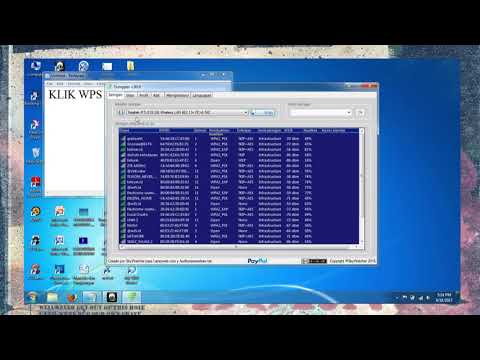
By global chanel hack wifi menggunakan dumpper 100 berhasil by global chanel

Title: how to downoad dumpper and jampstar
Channel: Tech On DG 999
how to downoad dumpper and jampstar by Tech On DG 999
Laptop Working
Download the BEST WiFi Dumper for Your Laptop (Free!)
The digital world functions seamlessly on an invisible network of wireless connections. These digital pathways, often secured with complex encryption protocols, are the lifelines for our daily interactions, from streaming our favorite shows to conducting essential business operations. But beneath the surface of this convenience lies a complex web of data packets, signals, and vulnerabilities, and understanding this underlying structure is crucial for both security enthusiasts and everyday users alike. This article will guide you through the world of WiFi dumping, providing a thorough examination of the tools, techniques, and ethical considerations that underpin this fascinating and often misunderstood field. More importantly, we'll help you navigate the landscape and find the best, free WiFi dumper tailored specifically for your laptop.
Understanding WiFi Dumping: A Gateway into Wireless Networks
At its core, WiFi dumping is the process of capturing and analyzing wireless network traffic. It involves using specialized software to intercept and decode data packets transmitted over a WiFi network. Think of it as tapping into the digital conversations happening between devices and the internet, but unlike a covert operation, this is primarily about understanding the complexities of the network. The aim is to extract valuable information, such as the network's SSID (Service Set Identifier, or the network name), the connected devices, the protocols being used, and possibly even the encryption keys that protect the network. This ability to "sniff" the airwaves provides a granular view of network activities.
This practice, though powerful, is not without its ethical and legal ramifications. It is important to reiterate that unauthorized access to a network is illegal and unethical. The knowledge gained through WiFi dumping should only be used for legitimate purposes, such as security auditing, network troubleshooting, or educational exploration, always with the explicit permission of the network owner.
Why Use a WiFi Dumper? Exploring the Benefits
The applications of WiFi dumping extend far beyond mere curiosity. For network administrators and security professionals, it's an indispensable tool for identifying vulnerabilities, monitoring network traffic for suspicious activity, and ensuring the integrity of their wireless infrastructure.
- Security Auditing: A WiFi dumper can reveal security flaws in a network. Analysing captured traffic can identify weak encryption algorithms, unsecured access points (those not password-protected), and potential points of entry for malicious actors.
- Network Troubleshooting: When experiencing connectivity issues, a WiFi dumper can help pinpoint the source of the problem. By examining network traffic, administrators can identify congestion, signal interference, or device conflicts.
- Educational Purposes: WiFi dumping offers a unique learning opportunity. Students of cybersecurity, network administration, and related fields can utilize these tools to better understand the intricacies of wireless communication protocols. This allows them to gain practical, hands-on experience in analyzing network traffic and identifying vulnerabilities.
- Privacy Concerns & Awareness: By understanding how WiFi networks work, a user can be more aware of the privacy risks involved. Equipped with this knowledge, users can educate themselves and protect their own information.
Essential Features to Look for in a WiFi Dumper for Your Laptop
Choosing the right WiFi dumper requires careful consideration of its functionalities and compatibility with your laptop's operating system. Here, we'll outline the critical features to look for in a quality tool:
- Packet Capture Capabilities: The dumper must be capable of capturing raw network packets. This raw data should include information such as source and destination MAC addresses, protocol types (e.g., HTTP, HTTPS, TCP, UDP, ICMP), and payload data.
- Protocol Analysis: A crucial feature is the ability to decode and analyze captured packets. The dumper should support common protocols like HTTP, HTTPS, and DNS, providing a human-readable interpretation of the data.
- Wireless Card Compatibility: Confirm that the software is compatible with your laptop's wireless network adapter. Some dumpers require specific hardware to function properly.
- User-Friendly Interface: The best dumpers offer an intuitive and easy-to-navigate interface, making it accessible for users of varying skill levels.
- Filtering Options: The ability to filter captured traffic based on various criteria, such as source/destination IP addresses, protocols, and ports.
- Reporting and Exporting: The dumper should allow users to generate detailed reports on network traffic and export the captured data in formats like PCAP (Packet Capture) for further analysis with other tools.
Top Free WiFi Dumpers for Your Laptop: A Comparative Overview
The open-source community provides a wealth of powerful, free WiFi dumpers. Here, we present a comparative overview of some of the most popular options to help you make the best choice:
- Wireshark: The industry-standard network protocol analyzer. It is a versatile, cross-platform tool that provides a complete view of network traffic. Wireshark supports a vast range of protocols, offering in-depth analysis capabilities, and allows users to export captured data in multiple formats. While powerful, Wireshark can have a steep learning curve.
- Aircrack-ng: A suite of tools specifically designed for wireless network security. It includes a packet sniffer, a WEP/WPA/WPA2-PSK key cracker, and other utilities for wireless network assessment. Aircrack-ng is more focused on wireless-specific tasks, making it ideal for security testing. It operates primarily through the command line, which may deter less experienced users.
- Kismet: A wireless network detector, sniffer, and intrusion detection system. Kismet is specifically designed for wireless network monitoring. It can identify hidden networks, detect wireless devices in the area, and log network traffic. Kismet provides a more user-friendly GUI making it a good option for beginners.
Step-by-Step Guide to Setting Up a WiFi Dumper on Your Laptop
The setup process varies depending on the chosen tool and your laptop’s operating system (Windows, macOS, or Linux). However, the general steps remain consistent:
- Choose and Download the Software: Select a WiFi dumper from the list above or any other tool that meets your needs, and download it from its official website.
- Installation: Follow the installation instructions provided for your operating system. Ensure you have the necessary dependencies and drivers installed.
- Wireless Adapter Configuration: Some tools require your wireless adapter to be put into "monitor mode." This allows the adapter to capture all wireless traffic without associating with a specific access point. Refer to the documentation of your chosen software for instructions on how to enable monitor mode for your specific wireless adapter.
- Start Capturing Packets: Launch the dumper and select the wireless network interface you want to monitor. Then, initiate packet capture.
- Analyze and Interpret: After capturing some packets, begin your analysis. Examine the captured data, identify patterns, and look for any potential security vulnerabilities.
Ethical Considerations and Legal Compliance: Using WiFi Dumpers Responsibly
It is extremely important to stress the ethical and legal responsibilities when using WiFi dumpers. Unauthorised access to a network and intercepting network traffic is illegal and unethical.
- Always Obtain Explicit Permission: Before using a WiFi dumper, always obtain explicit consent from the network owner. This is essential for avoiding legal issues.
- Respect Privacy: Be mindful of the privacy of others. Avoid capturing sensitive data, such as passwords, personal conversations, or financial information.
- Stay Informed: Stay updated on the latest cybersecurity laws and regulations in your jurisdiction. Laws vary by region, and ignorance does not absolve you of responsibility.
- Ethical Use: Use WiFi dumping only for legitimate purposes such as security auditing, network troubleshooting, or educational purposes, and never for malicious activities.
Troubleshooting Common Issues Encountered with WiFi Dumpers
You may run into some obstacles while using WiFi dumpers. Here’s how to overcome them:
- Driver Issues: Ensure your wireless network adapter drivers are up to date and compatible with the chosen software. In some cases, you may need to install specific drivers for monitor mode to work correctly.
- Compatibility Problems: Verify that the software supports your laptop's operating system and wireless adapter. Some tools may require specific versions of libraries or other dependencies.
- Packet Capture Limitations: Your wireless adapter may have limitations in terms of packet capture capabilities. Some adapters may not support monitor mode, or they may filter out certain types of traffic.
- Insufficient Permissions: Ensure the software is running with the necessary privileges (e.g., administrator access on Windows) to capture network traffic.
- Incorrect Configuration: Double-check the configuration settings of the WiFi dumper, such as the network interface selection and filtering options.
- Interference: Wireless interference can impact the accuracy of packet capture. Try to perform your testing in an environment with minimal interference from other wireless devices.
Conclusion: Mastering the Art of Wireless Network Analysis
WiFi dumping is a powerful tool that can offer valuable insights into the world of wireless networks. From security professionals to students, the ability to capture and analyze network traffic provides invaluable knowledge for network management, security auditing, and educational exploration. By following the guidelines and using the tools described in this article, you can begin developing the skills necessary to understand and analyze wireless communication. Remember to always prioritize ethical considerations and legal compliance. Responsible use of WiFi dumping tools is paramount. With the right knowledge, you can unlock the secrets of the invisible digital world and contribute to the security and integrity of the wireless networks that surround us.
