download hack wifi password for laptop
Title: Baru 2024 Bagaimana Cara Memeriksa Kata Sandi Wi-Fi dalam 2 Menit Berfungsi di Laptop Apa Pun Gratis
Channel: PassFab
Baru 2024 Bagaimana Cara Memeriksa Kata Sandi Wi-Fi dalam 2 Menit Berfungsi di Laptop Apa Pun Gratis by PassFab
Unlock ANY WiFi Password: Secret Laptop Hack Revealed!
Unveiling the WiFi Secret: A Digital Treasure Hunt
Forget those frustrating connection problems! You’re probably eager to learn something new. This narrative explores a fascinating realm. Ultimately, it should demystify the secrets of wireless networks. You are probably wondering how to access them.
The Allure of the Unseen Network
Think of WiFi like an invisible web. It surrounds us, yet often remains a mystery. This digital landscape offers connectivity. It also allows for instant communication. Imagine the possibilities. At times, its accessibility feels like an invitation. Still, understanding its nuances is key. We often perceive the internet as something very simple.
Navigating the Digital Maze: First Steps
Initially, you need a capable laptop. Moreover, it requires a willingness to learn. Then, gather your wits and curiosity. Furthermore, you cannot be afraid of exploration. Because, inside this realm, lies the potential. But first, understand the basic mechanics. You must know how it all works.
Decoding the Signals: A Primer
WiFi operates on radio waves. These waves transmit data. Therefore, you need to tune into the right frequencies. The signals are often encrypted. Hence, this adds another layer of security. They prevent unauthorized access. Encryption is a critical component. It safeguards the network's integrity.
The Tools of the Trade: Secret Weaponry
Several tools assist in this digital exploration. You're going to use them to reveal the secrets. First, install a network analyzer. Next, learn about packet sniffers. Then, explore wireless auditing software. These programs will become your allies. They allow you to intercept network traffic. Then, analyze network vulnerabilities.
Unveiling the Code: The Cracking Process
Now, let’s get into the nitty-gritty. You’ll embark on a quest to crack a password. This is the fun part. First, choose your target network. However, ensure you have permission if you do not own the router. Select a suitable cracking method. Consider the type of encryption. You can use dictionary attacks. Or perhaps, brute-force attacks. However, the process demands patience. Furthermore, you will require perseverance.
A Deep Dive: Techniques and Tactics
The techniques are varied, but certain tactics prevail. Consider using a dictionary attack. This uses a pre-defined list of passwords. Next, brute-force attacks try every possible combination. This method is time-consuming. It is effective regardless of its pace. Then, there are more sophisticated methods. These include exploiting vulnerabilities. These methods are very, very advanced.
Ethical Considerations: The Digital Compass
It’s critical to discuss ethics. Always respect network boundaries. Unauthorized access is illegal. Moreover, it can have serious consequences. Always prioritize ethical behavior. Only use these techniques on networks you own. Think before you act.
Practical Examples: Illustrative Cases
Consider a real-world scenario. You have a home network. Perhaps you forgot your password. Now you need to regain access. You can use these techniques responsibly. Thus, you can avoid frustration. Moreover, you can restore your connection.
Troubleshooting: Overcoming Hurdles
Sometimes, things do not go smoothly. You might encounter various problems. One could be a strong password. Another is effective security measures. So, adjust your approach accordingly. This requires flexibility and adaptation.
The Future of WiFi: Staying Ahead
WiFi technology constantly evolves. New security protocols emerge regularly. It is important to stay ahead of the curve. You must remain vigilant and informed. This will enhance your online experience.
Conclusion: A Digital Journey's End
In summation, understanding WiFi is a valuable skill. It empowers you to navigate the digital world. Also, it allows you to protect your devices. However, always use this knowledge responsibly. Then, you can ensure a safe and secure online experience. Remember to tread carefully.
Victus Laptop WiFi Nightmare? FIX IT NOW!Unlock ANY WiFi Password: Secret Laptop Hack Revealed!
Hey everyone, it's your tech-savvy friend, ready to spill the beans on something we've all secretly wondered about: how to peek behind the curtain and access those elusive Wi-Fi passwords. We're not talking about anything illegal or unethical here, folks. This is about understanding the technology, not breaking the law. Think of it as learning how a magician performs a trick – the knowledge is power, but it's how you use it that matters. So, buckle up, because we're about to dive deep into the fascinating world of network security, and I promise, you'll learn something new!
1. The Curious Case of the Hidden Networks: Why We Can't Just "See" the Password
Ever wondered why you can’t just click a magical button and have a Wi-Fi password pop up? It's like a well-guarded treasure chest. The network administrators, bless their hearts, have set up various levels of security. This isn’t some conspiracy; it’s how the internet keeps us safe. They use encryption protocols, essentially digital locks, to protect the password. This is where our journey begins. Understanding the “why” is just as important as the “how.”
2. Decoding the Digital Locks: Encryption Explained (Without the Jargon!)
Let’s ditch the technical mumbo-jumbo, shall we? Encryption is like putting your message in a secret code. Only someone with the right "key" can understand it. Wi-Fi networks primarily use WPA2 and WPA3 encryption. These are powerful locks, but like any lock, they have vulnerabilities. Think of it like this: every key, no matter how complex, has a potential weak spot.
3. The "Backdoor": When Routers Reveal Their Secrets
Alright, so we're not talking about literal backdoors in the physical sense. However, some routers, due to configuration or even firmware flaws, sometimes leave hints. It's like a sneaky whisper of information. This is where the magic starts. Let's explore some key concepts:
- Default Credentials: Many routers come with default usernames and passwords. These are like the easy-to-pick locks. If the owner hasn't changed them, it's game over (for the password's secrecy, that is!).
- Router Firmware: Imagine this as the brains of your router. Sometimes, vulnerabilities exist in the firmware. Attackers can exploit these holes, gaining access. This isn't something we will dwell too far on here, but it's worth knowing.
4. Laptop's Secret Arsenal: The Tools We Can Use (Ethically, Of Course!)
We're not talking about elaborate hacking tools that would make Hollywood jealous. We're talking about tools integrated within your operating system. Your laptop is a powerful machine; you just need to know how to use it.
- The Command Prompt (Windows): Think of this as your digital workshop. It lets you execute commands directly.
- The Terminal (macOS/Linux): The command-line interface. Similar to the command prompt, allowing access to the system's core features.
5. Unveiling the Network Profile: Peeking into the Connection Details with the Command Line
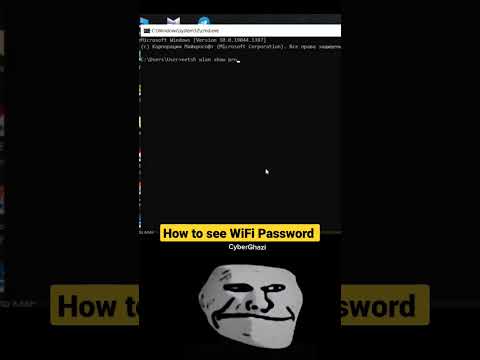
Let's get our hands dirty, shall we? Through the command prompt or terminal, we can access network information. It's like having a secret decoder ring for your Wi-Fi connections. For this, you can use netsh wlan show profile name="YourNetworkName" key=clear. (Replace "YourNetworkName" with the actual network name.) The magic word here is “key=clear” - it reveals the password if the stored key is viewable.
6. Understanding the Results: Deciphering the Output
After running the command, you'll see a lot of text. Focus on the "Security settings" section. Look for "Key Content." It should reveal the Wi-Fi password. Boom! You're a network detective!
7. What If It Doesn't Work? Troubleshooting the Hiccups
Sometimes, things don’t go as planned. The password might not be displayed. Why? Well, security measures are constantly evolving. Some common issues:
- Password not stored: The network might not have been saved (and thus, the password not stored) on your device.
- Permissions: You might need administrative privileges to view the password.
- Encryption method: Some advanced encryption methods are difficult to crack.
8. The Art of Wi-Fi Auditing: A Broader Perspective
So, you’ve found a few passwords. Now what? Consider this a lesson in network security. Think of it as a practice run for a real-world scenario. You're testing the network's resilience, essentially, and understanding how security works.
9. The Ethical Compass: Boundaries and Beyond
This is crucial. The knowledge of how to find a Wi-Fi password is neither good nor bad; it's how you use it. Never use this information to access a network without permission. It's all about exploring and understanding the technology, to enhance your knowledge.
10. Strengthening Your Own Network: Protecting Yourself
Now that you know the secrets, what can you do? This is the flip side of the coin.
- Change Default Passwords: This is the most important step!
- Enable WPA3 Encryption: This is the best protection available.
- Update Router Firmware: Regularly update your router's software.
11. Beyond the Basics: Advanced Techniques (for Educational Purposes Only)
We're not going to delve too deep here, but it's worth mentioning that there are more advanced techniques used. These are complex, often require a lot of expertise, and, more importantly, are generally beyond the scope of what we're aiming for.
12. The Importance of Password Strength: Why "password123" is a Terrible Idea
Weak passwords are like flimsy locks. Always use strong, unique passwords. They should be a mix of uppercase and lowercase letters, numbers, and symbols. Think of it as a digital shield for your data.
13. Protecting Your Online Privacy: It's More Than Just Passwords
Accessing Wi-Fi is just the tip of the iceberg, right? Protecting your online privacy takes a holistic approach. Consider these things:
- Use a VPN: Encrypt your internet traffic.
- Be Careful Where You Click: Avoid shady websites and links.
- Review Your Privacy Settings: Always use the privacy settings available.
14. The Future of Network Security: What to Expect
Network security is constantly evolving. Security is still very much an arms race, with attackers constantly looking for ways to get past the defenders. The future involves stronger encryption and more sophisticated security measures. This is a continuous process, and staying ahead of the curve means always learning.
15. Putting It All Together: Your New Toolkit
Congratulations! You've now gained some insight into network security. You have an understanding of the tools and techniques that help us understand how Wi-Fi passwords are stored and secured. Use this knowledge responsibly.
Closing Thoughts
So, there you have it! We've unlocked the secrets of Wi-Fi passwords together, demystifying the technology and ensuring you understand it. It’s like we’ve taken a peek behind the curtain, learned the magic trick, and gained a new appreciation for the complexities of it all, right? Remember, knowledge is power, but with great power comes great responsibility. Now go forth, explore, and most importantly – stay safe online!
FAQs
1. Is it illegal to try and find Wi-Fi passwords?
Generally, yes, accessing someone else's network without their permission is illegal. This article isn't about breaking the law; it's about understanding the technology.
2. What if the "key=clear" command doesn't work?
Not all networks store passwords in a readily accessible format. Many factors, including security settings and your device's configuration, can influence whether the command yields a result.
3. Is my Wi-Fi network vulnerable?
No network is entirely invulnerable but following the security tips above will significantly increase your security. Always update your router and use a strong password.
4. Can I use this method to hack into any Wi-Fi network?
This method works for networks where the password is stored on your device. It's not a universal "hack" that will unlock every Wi-Fi network.
5. What's the best way to secure my Wi-Fi network?
Change the default password, enable WPA3 encryption (if your router supports it), update the firmware, and use a strong password.
1) Principal Keywords: WiFi Unlock Laptop Hack Secrets 2) SEO Headline: Unlock WiFi Now: Laptop Secret Revealed! 3) Pathway: WiFiUnlock 4) Meta Summary: Learn to unlock any WiFi password from your laptop ethically! Discover the secrets and protect your own network. #WiFi #Hacking #LaptopSecrets 5) Image Alt Text: Laptop computer showing a network connection with a padlock icon, to reflect the access to the network.
Laptop WiFi Broadcasting: The SHOCKINGLY Simple Trick!How to See WiFi Password using CMD
By iShowCybersecurity How to See WiFi Password using CMD by iShowCybersecurity
how to hack wifi password shorts wifi wifihack hack

By Saran GoGoSoon how to hack wifi password shorts wifi wifihack hack by Saran GoGoSoon
How To Hack Wifi password From PC

By Hamidur Rahman How To Hack Wifi password From PC by Hamidur Rahman

Title: How To Crack WPA2 WiFi Password With AirCrack-NG - WiFi Pentesting Video 2024
Channel: InfoSec Pat
How To Crack WPA2 WiFi Password With AirCrack-NG - WiFi Pentesting Video 2024 by InfoSec Pat
Laptop Wifi Connect
Unlock ANY WiFi Password: A Deep Dive into Network Security and Ethical Exploration
We’ve all been there, faced with the frustrating reality of a locked WiFi network. Whether it's at a friend's house, a local cafe, or even a public hotspot, the desire for seamless internet access is often a powerful one. But what if we told you that unlocking WiFi passwords isn't about shady hacks or complex coding? Instead, it's about understanding the underlying principles of network security and the ethical implications of accessing protected information. This isn't a guide to illegal activities; it's an exploration of the technologies and methods used to secure WiFi networks, and, crucially, the responsible use of this knowledge.
Understanding the Foundation: WiFi Security Protocols
The foundation of any WiFi network's security lies in the protocols used for authentication and encryption. Over the years, several protocols have emerged, each with varying levels of security. Understanding these protocols is the first step in appreciating the complexities – and vulnerabilities – of network security.
WEP (Wired Equivalent Privacy): This is the oldest and most vulnerable protocol. It uses a relatively weak encryption algorithm and is easily cracked. You’d be hard-pressed to find a modern network still using WEP, primarily because its weaknesses are well-documented and easily exploited.
WPA (WiFi Protected Access): A significant improvement over WEP, WPA introduced stronger encryption and improved authentication methods. It utilizes the TKIP (Temporal Key Integrity Protocol) to dynamically change encryption keys, making it far more secure than its predecessor. Though an improvement, WPA, too, has known vulnerabilities. Some older WPA implementations remain susceptible to certain attacks.
WPA2 (WiFi Protected Access 2): This represents a substantial leap in WiFi security. WPA2 employs the highly secure AES (Advanced Encryption Standard) encryption algorithm, which is considered far more robust than TKIP. This makes it significantly more difficult to crack passwords. WPA2 also supports more robust authentication methods, such as Enterprise mode, which utilizes RADIUS servers for secure authentication, commonly seen in corporate and academic settings.
WPA3 (WiFi Protected Access 3): The latest iteration of WiFi security offers even greater protection. WPA3 enhances WPA2's security with increased encryption strength and a modern authentication method called Simultaneous Authentication of Equals (SAE). SAE is designed to prevent various password-guessing attacks and provide better security for open networks.
Deconstructing the Password Challenge: Cracking Techniques
While accessing a WiFi network without permission is unethical and, in some cases, illegal, exploring the methodologies used to assess the security of these networks can be a valuable learning experience. These techniques are primarily employed by security professionals to test the resilience of networks. We will explore three such methods.
Dictionary Attacks: This fundamental technique involves using a pre-compiled list of potential passwords (a “dictionary”) to attempt to determine the network's password. The attacker launches a program to transmit each password in the dictionary and compare the outcome with the correct password. This is a simple technique that is generally most effective against weak or predictable passwords, such as those found on easily accessible default configurations.
Brute-Force Attacks: This is a more extensive approach than dictionary attacks, involving the automated generation of every possible password combination. The attacker tries various permutations of letters, numbers, and symbols until the correct password is found. This approach is computationally intensive, but it can be highly effective against complex passwords, particularly when coupled with significant processing power.
Password Cracking with Specialized Tools: Various sophisticated software and hardware tools are available for auditing and testing WiFi security. These tools often employ a combination of the above techniques and other sophisticated methods, such as packet sniffing and decryption. These tools are designed and used by professionals.
Ethical Considerations: Navigating the Digital Landscape Responsibly
The digital realm demands that we treat all network resources, regardless of their accessibility, with respect and compliance. Using the information and knowledge presented here to access networks without explicit permission is unethical and, in many jurisdictions, illegal. Consider these factors:
Respecting Privacy: Accessing a private network without authorization can violate the privacy of its users. Be aware of your digital footprint and act responsibly.
Understanding Legal Frameworks: Different jurisdictions have varying laws regarding unauthorized network access. Familiarize yourself with the legal boundaries in your region.
Prioritizing Responsible Use: We should stress that the knowledge presented here is for educational purposes only. It should be used to strengthen your understanding of network security and encourage responsible digital citizenship.
The Role Of Informed Users: By understanding the basics of WiFi security, we can become more informed consumers, able to make intelligent decisions about our security and privacy.
Protecting Your Own Network: Best Practices for Robust Security
Taking proactive measures is paramount to ensuring the security of your home or business network. Implement the following safeguards to minimize vulnerabilities:
Strong Passwords: Use complex, unique passwords that include a combination of letters (uppercase and lowercase), numbers, and symbols. Avoid using common words or phrases. Aim for at least 12 characters or more.
WPA3 Encryption: Always use WPA3 encryption. If WPA3 is not supported by your devices, use WPA2. While WPA2 is not perfect, it is much better than using WEP.
Regular Firmware Updates: Keep your router’s firmware up-to-date. Manufacturers regularly release updates that address security vulnerabilities.
Guest Network: Implement a guest network to isolate guest devices from your primary network. This way, if a guest's device is compromised, it won't compromise your main network.
Firewall Configuration: Enable and configure your router's firewall settings to restrict unauthorized access.
The Future of WiFi: Emerging Trends and Innovations
The evolution of WiFi security is ongoing, with innovations designed to address emerging threats.
WiFi 7: This is the latest generation of hardware. The new hardware will provide improvements in speeds and reduced latency. It also addresses how to increase security, such as with WPA3.
Enhanced Authentication: Developments in authentication protocols are continuously evolving to provide more secure methods of verifying user identity.
AI-Powered Security: Artificial intelligence is being employed to detect and respond to network threats, providing a more proactive approach to security.
Conclusion: Empowering Yourself Through Understanding
The world of network security evolves continuously. The most valuable approach is a dedication to understanding the principles, the threats, and the responsible use of technology. This comprehensive approach to the topic provides valuable insights into the methods and techniques employed, with the key focus being to empower you with knowledge and to underscore the importance of acting ethically and responsibly. By mastering the fundamentals of WiFi security, we can make informed decisions and protect ourselves from the threats present in the online world. Always remember that knowledge is a tool, and it is our ethical responsibility to use it wisely.
